Here is tutorial setting your Blackberry® Curve™3G 9930 as internet modem. Most new phones come with built-in high-speed wireless modems (3G or HSDPA).  Most BB phones also come with software packages that make connecting them to your laptop relatively easy. Check the box your BlackBerry phone came in for a software CD for your desktop. In most cases, simply inserting the CD and following the prompts should get you set up. If that doesn’t work, have a read through the manual to learn how to connect and synchronize your BlackBerry with your computer. The driver of the models suitable for the use of BlackBerry users to download. Please download here :

Curve™3G 9930 Blackberry USB/Internet Modem Software. (Download Size:21 MB,English version)

If you have been download and installed on your PC you must setting on Windows XP and VISTA

  1. Select Start> Settings> Network Connections.
  2. Double-click the New Connection Wizard. New Connection Wizard will open.
  3. Click   ..Read More

You must set up your modem connection settings before you can use your Blackberry® Bold™ 9000 /Bold™ 9650 device as a modem.

  1. Connect your Blackberry® Bold™ 9000 /Bold™ 9650 device to your computer.
  2. Open the USB Modem BlackBerry® software or desktop software.
  3. Click IP Modem.
  4. Click …Read More.

Once you’ve got your Bold™ 9000 /Bold™ 9650 connected to your laptop via USB or Bluetooth, most connection software gives you the ability to use your BB Bold™ 9000 /Bold™ 9650 phone as a connection to the Internet.
Here is four way tutorial how to install Netqin Antivirus for Blackberry 9550 / 9650. Protect your Blackberry with the West Coast Labs certified NQ Security to protect against mobile threats including malware, spyware, hacking, viruses, and theft, while keeping your devices running at Top speed.
This NetQin Mobile Security is designed to protect BB 9550 / 9650 devices to anti viruses, anti malware and anti spyware. NetQin Mobile Anti-virus enables real-time monitoring over network connection and file system, and detecting and blocking virus or threats from short messages, multimedia messages, blue tooth, infra-red connection, GPRS, etc. at the earliest time. NetQin Mobile Antivirus is one of the premier freeware antivirus programs for Blackberry 9550 / 9650 mobile phones.

· Download Link : Netqin Free Antivirus for Blackberry 9550 / 9650

When you download the zip file and decompress it, you will get two folders which include the packages for different type of installation: Desktop & BES, OTA. Please DON’T delete any file in the folder if you try to install a package in it. Please DON’T change the name of any file.

The files in Desktop & BES apply to the desktop installation, BES deployment. So Here is four method to download and install this antivirus application for Blackberry 9550 / 9650

A) Desktop installation

You can connect your BlackBerry 9550 / 9650 to PC, and install NetQin Mobile Security with your desktop tools. If you are using Desktop, please install the file .alx in Desktop&BES but If you are using Berrybox, please install the file of .cod Desktop&BES;

B) Use BES deployment : …More

C) Use SD card installation : …More

D) Via Online installation ; ,..More

After installation have been finished, the app will ask you for permissions please allow and save the settings. It the Anti-virus has not gained current permissions, some key features may be disabled and it cannot protect your BlackBerry 9550 / 9650 device.

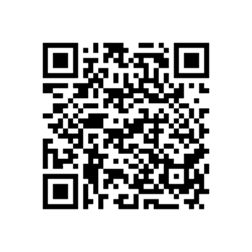
Scan the QR code below to download the Player For YouTube Application version1.3.13 for 8820. New features in 1.2:

* View more than just the first 25 videos
* Share videos by Email, Facebook or Twitter
* Many Bug fixes and minor improvements

clip_image002

Tutorial to scan the QR code:

  1. Open the BlackBerry App World app on your 8820 smartphone.
  2. Click the Menu key and select Scan a Barcode.
  3. Click Start Scanning. Point your 8820 smartphone camera at the barcode image and hold the camera steady for 3 seconds to scan it. BlackBerry App World will instantly find the app you’ve selected.

Alternative download link : PLAYER OF YOUTUBE

The features are follow as :
· Playing videos over RTSP Streaming or Wi-Fi and WAP
· Bookmark your favorite videos for easy access
· Search for videos, including saved search history

if you want to save/ download youtube movies on your Blackberry 8820, the tutorial : click here

Note : To Prevent copyright materials,this site indexed for Player For YouTube or all post which are all from official site, free and open blog and forums. Please inform our administrator if the copy infringe your copyright. And we will link your official website as the connection address, or remove it within six working days.