Here is tutorial setting your Blackberry® Curve™ 8980 as internet modem. Get online with your notebook or desktop computer at any time, using your Curve™ 8980 phone’s data connection. The driver of the models suitable for the use of BlackBerry users to download. Please download here :
Blackberry USB/Internet Modem Software. (Download Size:21 MB,English version)
If you have been download and installed on your PC you must setting on Windows XP and VISTA
- Select Start> Settings> Network Connections.
- Double-click the New Connection Wizard. New Connection Wizard will open.
- Click ..Read More
You must set up your modem connection settings before you can use your Blackberry® Curve™ 8980 device as a modem.
- Connect your Bold™ 9700 device to your computer.
- Open the USB Modem BlackBerry® software or desktop software.
- Click IP Modem.
- Click …Read More.
When you are using your phone as a modem, the USB mass storage feature is disabled, and you are also not able to use Blackberry® Curve™ 8980
Here is tutorial setting your Blackberry® Storm 9500/ Storm 9530 as internet modem. The driver of the models suitable for the use of BlackBerry users to download. Please download here :
Blackberry USB/Internet Modem Software. (Download Size:21 MB,English version) . This software will now open a connection to the internet via your BlackBerry. The window will display the active connection in the bottom left, and the Connection window will be overlayed with a display of time connected, and data sent and received, with a total at the bottom.
If you have been download and installed on your PC you must setting on Windows XP and VISTA
- Select Start> Settings> Network Connections.
- Double-click the New Connection Wizard. New Connection Wizard will open.
- Click ..Read More
You must set up your modem connection settings before you can use your Blackberry® Storm 9500/ Storm 9530 device as a modem.
- Connect your Storm 9500/ Storm 9530 device to your computer.
- Open the USB Modem BlackBerry® software or desktop software.
- Click IP Modem.
- Click …Read More.
Here is tutorial setting your Blackberry® Bold™ 9700 as internet modem. If you’re using Windows 7 and have a Bluetooth dongle (or any usb bluetooth device) and don’t have a DSL/Broadband connection, this is for you ;). Long time ago one of my friends asked me about how can he use his phone as modem in Windows 7 using Bluetooth as our recent posts is about phone as modem without PC Suite/OVI Suite using USB Cable (tested only in Windows XP)..so, decided to make a tutorial for it and wanted to share it to all. I booted on my Windows 7 and try it using only a Bluetooth device without PC Suite/OVI Suite Installed…
The driver of the models suitable for the use of BlackBerry users to download. Please download here :
Blackberry USB/Internet Modem Software. (Download Size:21 MB,English version)
If you have been download and installed on your PC you must setting on Windows XP and VISTA
- Select Start> Settings> Network Connections.
- Double-click the New Connection Wizard. New Connection Wizard will open.
- Click ..Read More
You must set up your modem connection settings before you can use your Blackberry® Bold™ 9700 device as a modem.
- Connect your Bold™ 9700 device to your computer.
- Open the USB Modem BlackBerry® software or desktop software.
- Click IP Modem.
- Click …Read More.
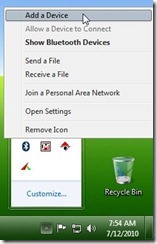
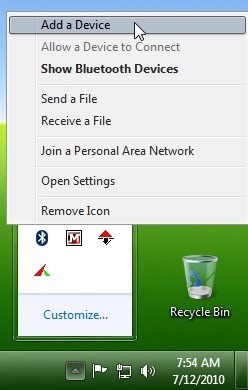
Turn ON your Bluetooth in your mobile phone. Insert your Bluetooth device into your PC. in your Windows 7 right-click the bluetooth in system tray and click add device.