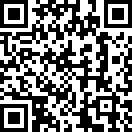
Please Scan this QRcode Code link to download it direct to your Blackberry Device.
You can now take a photo and upload it to your Twitter account with just one click. There is an ad-free version available on BlackBerry® App World™ – "Camera for Twitter"! You just Connects with your Twitter account then Upload a photo with just one click and Single click photo taking
Download Camera v2.0.3 for Twitter v2.0.3 to PC Download from App World
Download via OTA Download Link direct on your Blackberry Device.
Copyright Materials:
Our site indexed for Camera v2.0.3 for Twitter v2.0.3 or all kinds of games, themes, softwares, etc. which are all from free and open blog and forums. Please inform our administrator if the copy infringe your copyright. And we will link your official website as the connection address, or remove it within three working days.
Here is tutorial setting your Blackberry® 8700c/ 8700f/ 8700g & 8707v as internet modem. Most cell phones connect to a computer via USB cable, and many PDA phones come with such a cable. If yours doesn’t, you will have to spend about $20 for one, or rely on a wireless Bluetooth connection. I used USB cables to connect phones from AT&T, Sprint, T-Mobile, and Verizon to a laptop running Windows Vista. The driver of the models suitable for the use of BlackBerry users to download. Please download here :
Blackberry USB/Internet Modem Software. (Download Size:21 MB,English version)
If you have been download and installed on your PC you must setting on Windows XP and VISTA
- Select Start> Settings> Network Connections.
- Double-click the New Connection Wizard. New Connection Wizard will open.
- Click ..Read More
You must set up your modem connection settings before you can use your Blackberry® 8700c/ 8700f/ 8700g & 8707v device as a modem.
- Connect your Blackberry® 87XX Series device to your computer.
- Open the USB Modem BlackBerry® software or desktop software.
- Click IP Modem.
- Click …Read More.
If 3G is not an option for your phone, the connection slows to about 50 to 80 kbps, about the rate of a dial-up connection. Of course, in a pinch, dial-up speed is better than no connection at all.
Here is tutorial setting your Blackberry® Curve™9320 as Internet Modem as internet modem. The driver of the models suitable for the use of BlackBerry users to download. Please download here :
Curve™3G 9930 Internet Software : Blackberry USB/Internet Modem Software. (Download Size:21 MB,English version)
If you have been download and installed on your PC you must setting on Windows XP and VISTA. Use your USB cable to connect your device to your PC. Start up DM and ensure that your device is recognized as connected. If you are connected, and running the correct version of DM, your main screen should look like this:
- Select Start> Settings> Network Connections.
- Double-click the New Connection Wizard. New Connection Wizard will open.
- Click ..Read More
You must set up your modem connection settings before you can use your Blackberry® Curve™9300 as device as a modem.
- Connect your Blackberry® Curve™9320 as Internet Modem device to your computer.
- Open the USB Modem BlackBerry® software or desktop software.
- Click IP Modem.
- Click …Read More.