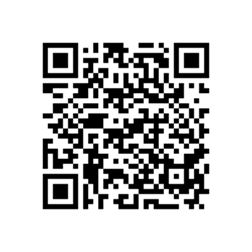
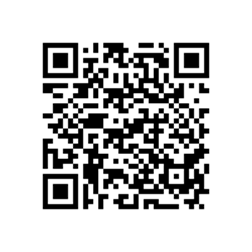
Here is four way tutorial how to install Netqin Antivirus for Blackberry 9300. NetQin Mobile Anti-virus, as the first software passing authentic certification by the Ministry of Public Security and product testing by the Research Institution of China Mobile. Protect your BB with the West Coast Labs certified NQ Security to protect against mobile threats including malware, spyware, hacking, viruses, and theft, while keeping your devices running at Top speed.
This NetQin Mobile Security is designed to protect BB 9300 devices to anti viruses, anti malware and anti spyware. NetQin Mobile Antivirus is one of the premier freeware antivirus programs for Blackberry 9300 mobile phones.
· Download Link : Netqin Free Antivirus for Blackberry 9300
. How to installation : …More
When you download the zip file and decompress it, you will get two folders which include the packages for different type of installation: Desktop & BES, OTA. Please DON’T delete any file in the folder if you try to install a package in it. Please DON’T change the name of any file.
After installation have been finished, the app will ask you for permissions please allow and save the settings. It the Anti-virus has not gained current permissions, some key features may be disabled and it cannot protect your BlackBerry 9300 device.
Scan the QR code below to download the Player For YouTube Application version 1.3.13 for Torch 9850. This option gives you the ability to add a skin or background to the original youtube player. With this you can blend the player with the background or you can use your own image to create your custom player. In html, so might not work in some places.
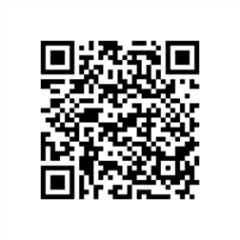
Tutorial to scan the QR code:
- Open the BlackBerry App World app on your Torch 9850 smartphone.
- Click the Menu key and select Scan a Barcode.
- Click Start Scanning. Point your Torch 9850 smartphone camera at the barcode image and hold the camera steady for 3 seconds to scan it. BlackBerry App World will instantly find the app you’ve selected.
Alternative download link : PLAYER OF YOUTUBE
The features are follow as :
· Playing videos over RTSP Streaming or Wi-Fi and WAP
· Bookmark your favorite videos for easy access
· Search for videos, including saved search history
if you want to save/ download youtube movies on your Blackberry Torch 9850, the tutorial : click here
Note : To Prevent copyright materials,this site indexed for Player For YouTube or all post which are all from official site, free and open blog and forums. Please inform our administrator if the copy infringe your copyright. And we will link your official website as the connection address, or remove it within six working days.
Scan the QR code below to download the Player For YouTube Application version1.3.13 for Storm2 9520.
Fullscreen support is partially implemented. Pressing the fullscreen button will expand the player to fill your browser. If your browser supports a fullscreen option, you can then use that to truly fill the screen
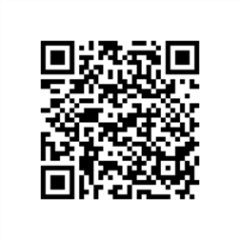
Tutorial to scan the QR code:
- Open the BlackBerry App World app on your Storm2 9520 smartphone.
- Click the Menu key and select Scan a Barcode.
- Click Start Scanning. Point your Storm2 9520 smartphone camera at the barcode image and hold the camera steady for 3 seconds to scan it. BlackBerry App World will instantly find the app you’ve selected.
Alternative download link : PLAYER OF YOUTUBE
The features are follow as :
· Playing videos over RTSP Streaming or Wi-Fi and WAP
· Bookmark your favorite videos for easy access
· Search for videos, including saved search history
if you want to save/ download youtube movies on your Blackberry Storm2 9520, the tutorial : click here
Note : To Prevent copyright materials,this site indexed for Player For YouTube or all post which are all from official site, free and open blog and forums. Please inform our administrator if the copy infringe your copyright. And we will link your official website as the connection address, or remove it within six working days.