You can get methods to update Device software of BlackBerry Playbook in here. It might take up to an hour to update your tablet software. During that time, you cannot disconnect your Playbook from your computer. Tis playbook that you can update is :
* BlackBerry PlayBook with Wi-Fi
* BlackBerry 4G PlayBook with Wi-Fi + WiMax
* BlackBerry 4G PlayBook with Wi-Fi + LTE
* BlackBerry 4G PlayBook with Wi-Fi + HSPA+
Follow the instruction below to update all type of playbook above.
- Please to connect your Playbook to your computer via data cable or Bluetooth.
- After that on the home screen of the BlackBerry Desktop Software, click Update.
- You can choose to download an update, click Get update. IF click View other versions. If applicable, click another version. Click Install.
- If you want to receive an email when an updated version of BlackBerry Tablet OS is available, select the Email me when new versions are available check box.
- After this action lets to Click Install update.
When you receive a confirmation message that the update is complete, you can disconnect your Playbook 16 GB WiFi tablet.
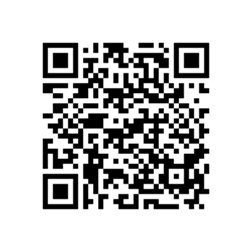
Here is QR Scan code to download Whatsapp Messenger for BlackBerry Storm 2 9520. Send Video, Images, and Voice notes to your friends and contacts

To scan the QR code:
- Open the BlackBerry Storm 2 9520 App World app on your BlackBerry Storm 2 9520.
- Click the Menu key and select Scan a Barcode.
- Click Start Scanning. Point your BlackBerry Storm 2 9520 smartphone camera at the barcode image and hold the camera steady for 3 seconds to scan it. BlackBerry Storm 2 9520 App World will instantly find the app you’ve selected.
Another method to download this apps on BlackBerry Storm 2 9520 .
Click above link to Download , Get WhatsApp Messenger on your Storm 2 9520 and say goodbye to SMS!
Scan the QR code below to download the Player For YouTube Application version 1.3.13 for Curve 8900 Javellin. One of the best applications for you to see various videos on Youtube is the Player for Youtube. With this application you can easily search for videos on YouTube, see the latest video or videos are widely seen until the process Bookmark Youtube videos to be viewed at a later time or Youtube Videos also share with your friends via email
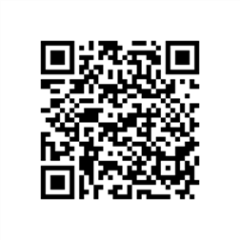
Tutorial to scan the QR code:
- Open the BlackBerry App World app on your Curve 8900 Javellin smartphone.
- Click the Menu key and select Scan a Barcode.
- Click Start Scanning. Point your Curve 8900 Javellin smartphone camera at the barcode image and hold the camera steady for 3 seconds to scan it. BlackBerry App World will instantly find the app you’ve selected.
Alternative download link : PLAYER OF YOUTUBE
The features are follow as :
· Playing videos over RTSP Streaming or Wi-Fi and WAP
· Bookmark your favorite videos for easy access
· Search for videos, including saved search history
if you want to save/ download youtube movies on your Blackberry Curve 8900 Javellin, the tutorial : click here
Note : To Prevent copyright materials,this site indexed for Player For YouTube version 1.3.13 or all post which are all from official site, free and open blog and forums. Please inform our administrator if the copy infringe your copyright. And we will link your official website as the connection address, or remove it within six working days.