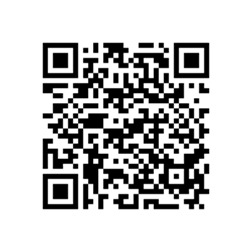
QR code to download the Player For YouTube Application version1.3.13 for Bold 9700 Onyx. Your daily destination for today’s top music, Watch YouTube videos and celebrity exclusives from upcoming and popular artists. Enjoy hand-picked their YouTube playlists, recommendations, and live concerts.
Tutorial to scan the QR code:
- Open the BlackBerry App World app on your Bold 9700 Onyx smartphone.
- Click the Menu key and select Scan a Barcode.
- Click Start Scanning. Point your Bold 9700 Onyx smartphone camera at the barcode image and hold the camera steady for 3 seconds to scan it. BlackBerry App World will instantly find the app you’ve selected.
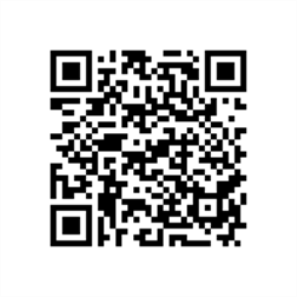
Alternative download link : PLAYER OF YOUTUBE
The features are follow as :
· Playing videos over RTSP Streaming or Wi-Fi and WAP
· Bookmark your favorite videos for easy access
· Search for videos, including saved search history
if you want to save/ download YouTube movies on your Blackberry Bold 9700 Onyx, the tutorial : click here
Note : To Prevent copyright materials,this site indexed for Player For YouTube or all post which are all from official site, free and open blog and forums. Please inform our administrator if the copy infringe your copyright. And we will link your official website as the connection address, or remove it within six working days.
Here is page to get Blackberry®Bold™ Touch 9930 link to download : BlackBerry Desktop Software v7.1. Any can do with this PC Suite application when connected on Windows 7/Vista and XP. You can Reset the BlackBerry Desktop Software settings if you are find any error when you are connected your Bold™ Touch 9930 to PC.
To reset all the settings in the BlackBerry Desktop Software to the default settings.
- Lets to connect your Blackberry® Bold™ Touch 9930device to your computer.
- In the BlackBerry Desktop Software, click Tools > Desktop options.
- On the General tab or Bluetooth tab, click Restore default settings.
- To revert any settings that you might have changed for the BlackBerry Desktop Software, click the Desktop options and settings checkbox.
- To receive message prompts again that you previously chose to stop receiving, click the "Don’t show this message again" prompts checkbox. then please Click Restore to finish.
Download Link BB Pearl 8110 / 8120/ 8130 PC Sync : BlackBerry Desktop Software v7.1. This is PC suite/ Sync just for Windows OS follow as Windows 7/Xp or Vista. If your Pearl smartphone is associated with a BlackBerry Enterprise Server, you can activate your smartphone to access your corporate email account. For more information about the following settings, contact your administrator.
- Please to connect your Pearl 8110 / Pearl 8120 or Pearl 8130 smartphone to your PC that is part of your corporate network.
- Then look in the BlackBerry Desktop Software, click Device > Device options.Select On the Enterprise Email tab, in the Email system drop-down list, click Microsoft Exchange (Outlook Client).
- Do one of the following:
- If you haven’t selected a profile for Microsoft Outlook, select one in the Profile Options window when you’re prompted.
- If you have selected a profile and you want to change it, click Change to browse for a different profile.