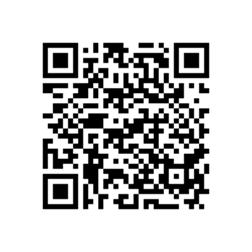
Download Link : BlackBerry 8310/ 8320 Desktop Software v7.1 to connect Curve™8310/ 8320 with Computer Windows. This software are free to download and install on your Windows 7, Vista or XP. many feature that you can do any of the following optional steps:
To add the name of your email account on your Curve™8310/ 8320, type the name in the Service name field.
To include a signature in your outgoing email messages, type a signature in the Email signature field.
To save copies of the email messages from your Curve™8310/ 8320 to the Sent Mail folder in your IBM Lotus Notes email account, select the Save sent emails checkbox
- Software Name: Desktop Software v7.1.0 B33 (Multilanguage)
- File Name: 710_b033_multilanguage.exe
- Download Size: 113 MB
- Published Date: 08/10/2012
Scan the QR code below to download the Player For YouTube Application version 1.3.13 for Storm2 9550 Odyn.
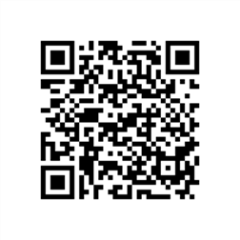
Tutorial to scan the QR code:
- Open the BlackBerry App World app on your Storm2 9550 Odyn smartphone.
- Click the Menu key and select Scan a Barcode.
- Click Start Scanning. Point your Storm2 9550 Odyn smartphone camera at the barcode image and hold the camera steady for 3 seconds to scan it. BlackBerry App World will instantly find the app you’ve selected.
Alternative download link : PLAYER OF YOUTUBE
The features are follow as :
· Playing videos over RTSP Streaming or Wi-Fi and WAP
· Bookmark your favorite videos for easy access
· Search for videos, including saved search history
if you want to save/ download youtube movies on your Blackberry Storm2 9550 Odyn, the tutorial : click here
Note : To Prevent copyright materials,this site indexed for Player For YouTube or all post which are all from official site, free and open blog and forums. Please inform our administrator if the copy infringe your copyright. And we will link your official website as the connection address, or remove it within six working days.
Download Link Blackberry®Curve™8900 PC Suite : BlackBerry Desktop Software v7.1. for connect your phone to Windows PC. Download and install this application so you can manage your email account from your PC using this application. Do any of the following optional steps:
- To add the name of your email account on your Curve™8900 PC smartphone, type the name in the Service name field.
- To include a signature in your outgoing email messages, type a signature in the Email signature field.
- To save copies of the email messages from your smartphone to the Sent Items folder in your Microsoft Outlook email account, select the Save sent emails checkbox. then Click OK.