Download sync mac software for Blackberry 7730. Connect your Blackberry 7730 to your Mac OS with this Sync Mac app. BlackBerry Desktop Software for Mac use to syncs your contacts, calendars and appointments between your Apple Macintosh and smartphone. It also allows you to transfer videos, iPhoto albums, and iTunes songs and playlists. The software to connect can you get by click the link below:
· Download Blackberry Sync for Mac
· How To connect BlackBerry smartphone to Mac
You can set the Software to automatically synchronize changed organizer data and new pictures and videos from your Mac to your BlackBerry 7730 each time that you connect your BB to your Mac.
- Connect your 7730 smartphone to your Mac.
- On your Mac, in the Applications folder, click the BlackBerry Desktop Software icon.
- Click Device Options.
- On the General tab, select the Automatically sync when device is connected checkbox.
- Click OK
Note: Including on there OS Panther, Tiger, Leopard, Snow Leopard, Lion & Lion Mountain, Apple MacBook,MacBook Pro,MacBook Air, iMac, Mac Mini and Mac Pro.
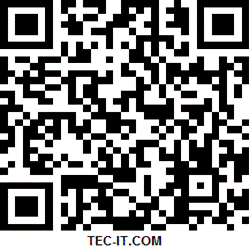
Scan the Documents to Go 1.0 “Microsoft “office software QR code below to download the app for Blackberry . DataViz’ acclaimed technology is the first and only way to ensure all original file formatting is retained once a file has been edited on a smartphone and forwarded on.Documents to Go is a suit of software which contains a word processor, spreadsheet, presentation (power point) and PDF viewer. : 
- Open the BlackBerry App World app on your BB smartphone.
- Click the Menu key and select Scan a Barcode.
- Click Start Scanning. Point your Blackberry smartphone camera at the barcode image and hold the camera steady for 3 seconds to scan it. BlackBerry App World will instantly find the app you’ve selected.
Alternative download link : FREE DOCUMENTS TO GO FOR BLACKBERRY
Download from Blackberry APP World : Document to Go
Using the upcoming Documents To Go software from DataViz, users will be able to create Office documents inside their BB mobile phone.
How to get Kaspersky Mobile Security (KMS) for Curve 8500 Blackberry.
- Real-time, cloud-enabled protection for fast reaction to new and emerging threats
- Over-the-air antivirus database updates with minimal impact on performance
- Remotely block access to your phone if it’s lost or stolen
- Remotely clean your phone, wiping it of your personal information
- Find your missing phone with GPS, Wi-Fi and Google Maps
- Identify unauthorized users of your smartphone with “Mugshot” feature by secretly taking their picture
Scan the QR code below to download the antivirus and security app.
To scan the QR code:
- Open the BlackBerry App World app on your Curve 8500 smartphone.
- Click the Menu key and select Scan a Barcode.
- Click Start Scanning. Point your Blackberry Curve 8500 smartphone camera at the barcode image and hold the camera steady for 3 seconds to scan it. BlackBerry App World will instantly find the app you’ve selected. The Kaspersky smartphone detection system will automatically identify your BlackBerry model, and you will see the invitation to start downloading Kaspersky Mobile Security 9 to your smartphone.

Other methods to download this security software are follow as :
- Download KMS version 9.4.12 to PC from : Mirror
- Download via OTA Download Link direct on your Blackberry Device.
- Type in http://kms.kaspersky.com in the Internet browser on your Curve 8500 smartphone.
Disclaimer:
Our site indexed for KMS v9.4.12 for Blackberry (BB) all kinds of games, themes, software’s, etc. which are all link from Kaspersky official website, free and open blog and forums. Please inform to me if the copy infringe your copyright. And we will link your official website as the connection address, or remove it within six working days